Paperless Visitor Agreements — Signed right at the Kiosk.
Self-service check-in with digital policy sign-off, touchscreen signature capture, and visitor terms acceptance in under 30 seconds.

How Kiosk Agreement Works

Custom Policy Builder
Upload any document or build your visitor terms in the editor. Set different agreements per visitor type — contractor, vendor, or guest.

Digital Signature Capture
Visitors sign directly on the kiosk touchscreen. Signature is captured, timestamped, and attached to their visit record.

Terms Acceptance Flow
Present scrollable terms with a mandatory acceptance checkbox before check-in is completed.

Document Version Control
Manage multiple agreement versions. Every signed record stores the exact document version the visitor accepted.

Conditional Gating
Block badge printing if the visitor declines to sign. Escalate to reception for manual override if required.

Signed Agreement Archive
Every signed document stored against the visit record — searchable, downloadable, and exportable for safety compliance.
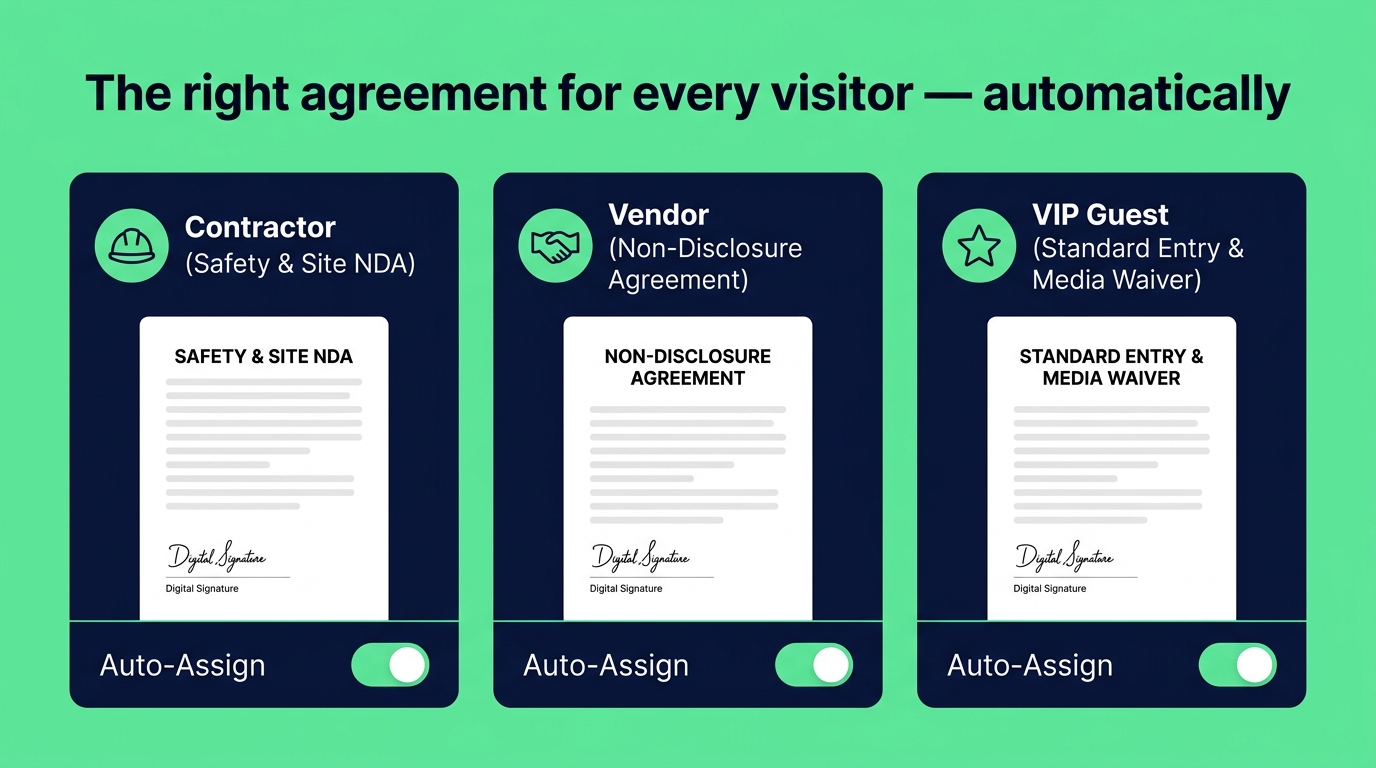
The right agreement for every visitor — automatically
Contractors need safety guidelines. Vendors need site rules. Interview candidates need general entry terms. kaarobaarmeet.ai lets you assign different agreement documents to different visitor types, so the kiosk automatically presents the correct document without any receptionist intervention.
- Assign agreement templates per visitor type — guest, contractor, vendor, VIP
- Rich-text editor or PDF upload — works with your existing documents
- Multi-language support — display terms in the visitor's preferred language
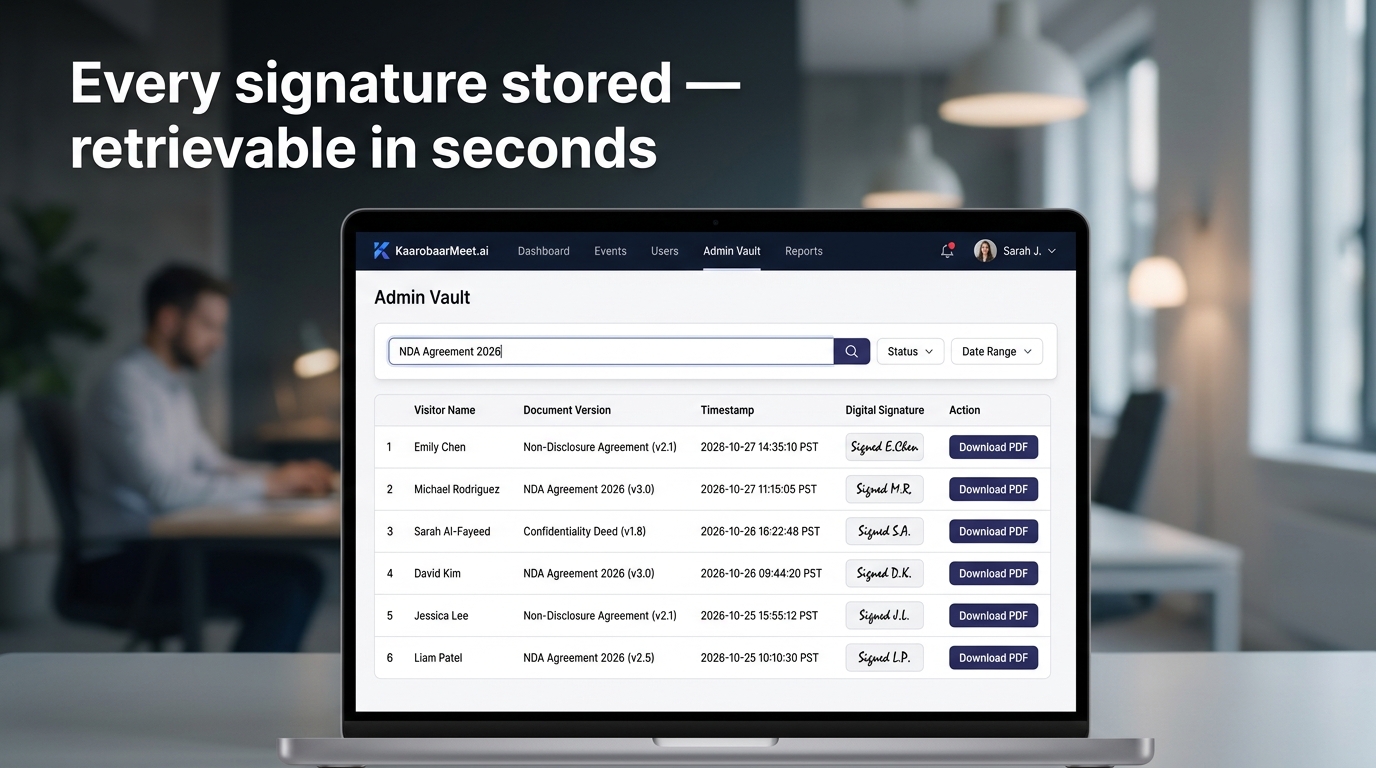
Every signature stored — retrievable in seconds
When an audit or compliance check requires evidence, you need to retrieve the exact document a visitor signed on a specific date. kaarobaarmeet.ai stores every signed agreement with the visitor record, document version, signature image, and acceptance timestamp — searchable by name, date, or visitor type.
- Signature image, timestamp, and document version stored per visit record
- Search signed agreements by visitor name, date range, or agreement type
- Download individual PDFs or bulk-export for compliance review and audits
Kiosk Agreement in Minutes
Upload or build your visitor terms
Paste your terms into the editor or upload an existing PDF. Assign it to the relevant visitor types in your check-in settings.
Enable signature capture on kiosk
Toggle the agreement step on in your kiosk flow. The terms screen appears automatically between photo capture and badge printing.
Retrieve and export signed documents
Every signed agreement is stored against the visit record. Search, download, and export individual or bulk PDFs from the admin dashboard.
Digitise your visitor terms — starting today.
Custom documents, digital signatures, and a permanent archive — built into your kiosk flow. No credit card required.